Beam
← Blog

Rooms and Tunnels

Two ways to get something off your computer and to someone else, without uploading it somewhere first and without opening up your machine.

The BEAM team6 min read

There’s a file on your laptop that someone else needs. Or a service running on a port only you can see, and a colleague who wants a look at it.

The usual answers are both a bit grim. Upload it somewhere first and send a link to the copy, which means waiting twice and leaving the file sitting on a third party’s disk. Or open a hole in your own network and hope you remember to close it again.

BEAM does neither. It offers two ways to hand something over. A tunnel gives one thing on your machine a web link. A room is a private group of machines that send files to one another. One is for reaching outward; the other is for working together.

They are built on the same foundation, so start there.

The part that’s the same

Whichever you use, your computer reaches out to BEAM and holds that connection open. Nothing ever connects back in to you — no port to open, no firewall to change, no address to hand out. Your machine stays as invisible to the outside world as it was before you started.

That single fact is what lets a machine take part from anywhere it happens to be, including somewhere nothing can reach it. Everything below is built on it. A tunnel and a room differ only in who ends up on the other end.
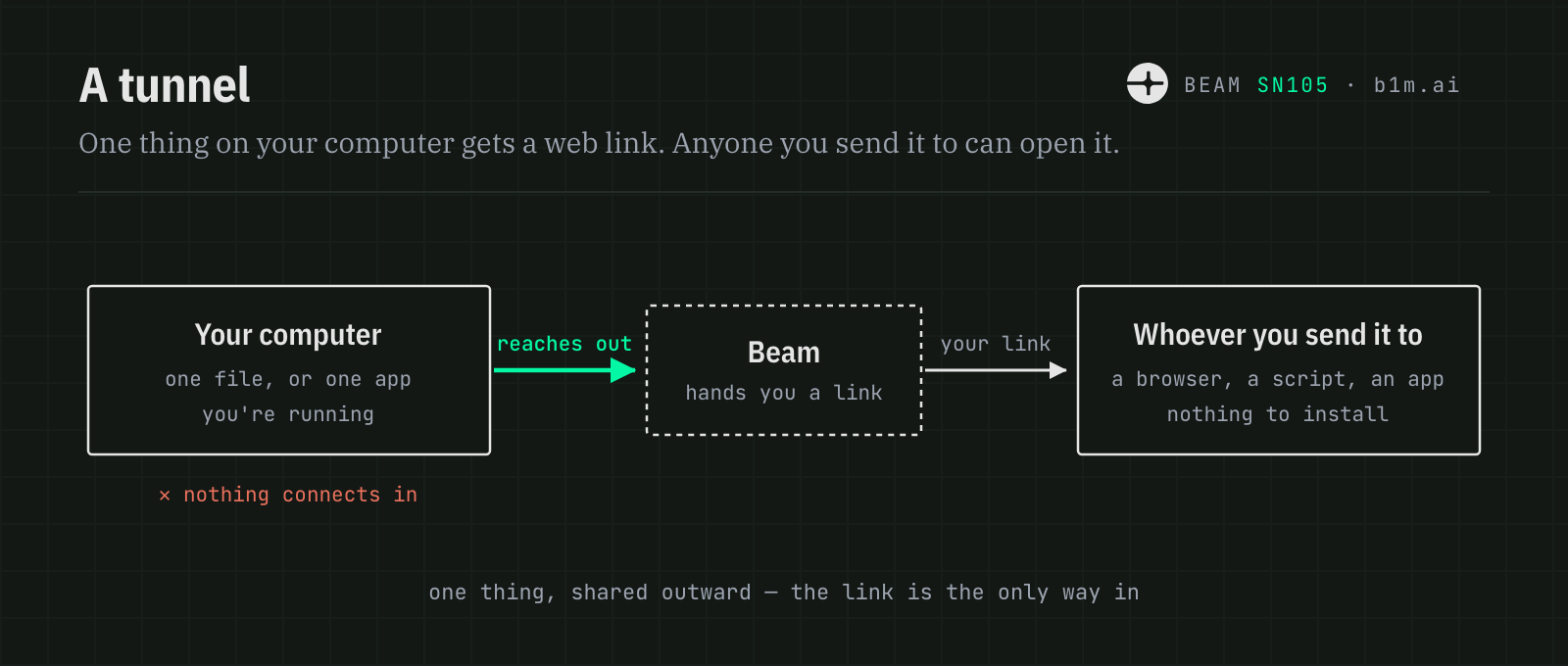
A tunnel: one thing on your computer gets a web link. Your computer reaches out to BEAM, and whoever you send the link to can fetch it with a browser, a script, or another app. Nothing connects in to your computer.
Close the tunnel and the link stops working.

A tunnel

Pick a file, or an app you have running. BEAM gives you a link to it. It’s an ordinary web link, so whatever is on the other end can just fetch it — a person in a browser, a script, or another service entirely. No account, and nothing to install.

Handy for sending someone a file too large to email, showing a colleague the site you’re building before it’s deployed, or letting another service pull data straight off your machine.
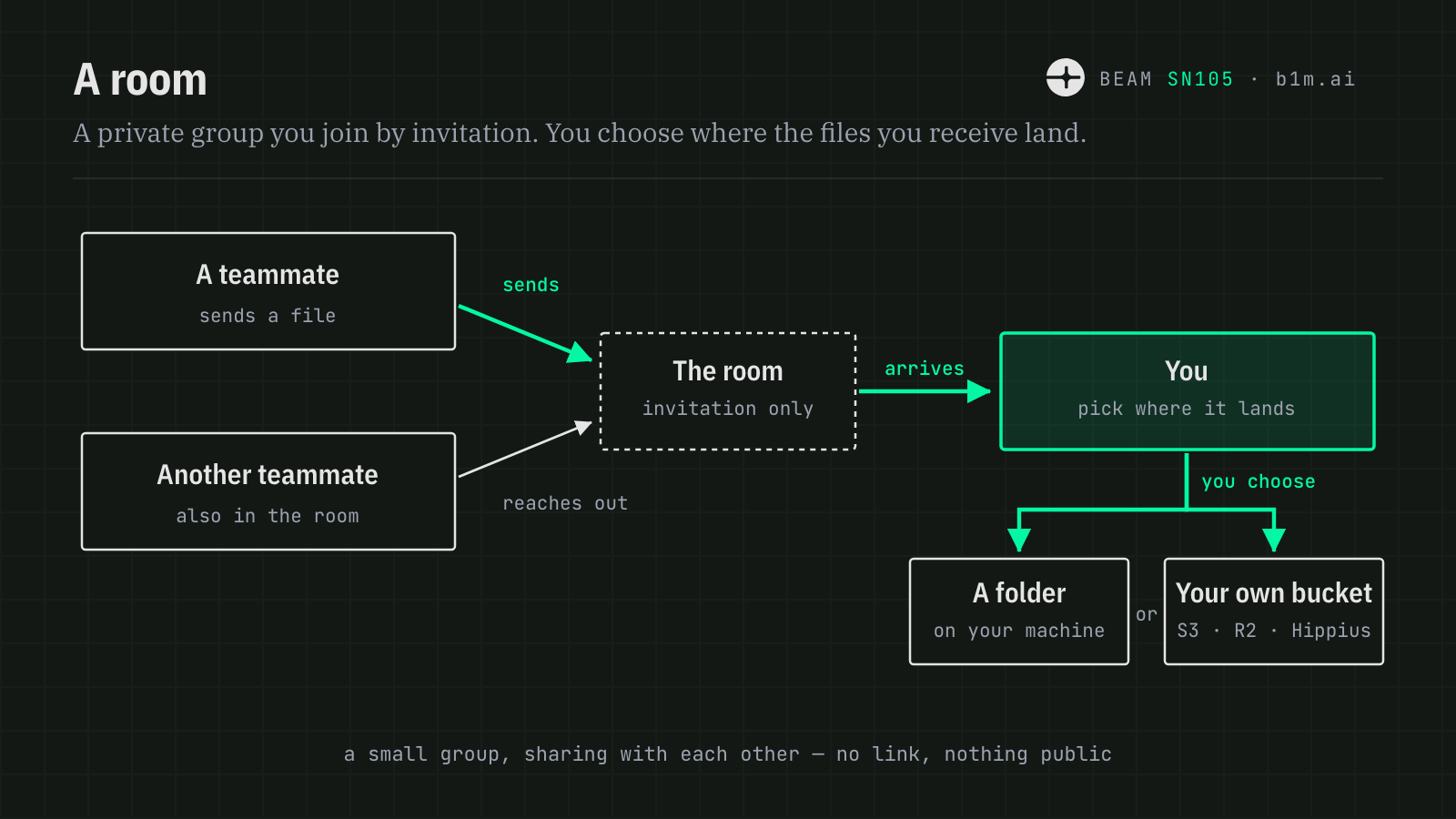
A room: a private group you join by invitation. Teammates reach out to BEAM and send files to each other. When a file arrives you choose where it lands — a folder on your machine, or your own S3, R2 or Hippius bucket.

A room

Someone creates a room and invites you. Once you’re in, anyone in the room can send you a file and you can send files back.

You decide where what you receive ends up. A folder on your machine is the simple answer, but it can go straight into your own object storage instead — an S3 bucket, Cloudflare R2, or Hippius. Your bucket, your credentials: files arrive where you already keep things, rather than somewhere new you have to tidy up later.
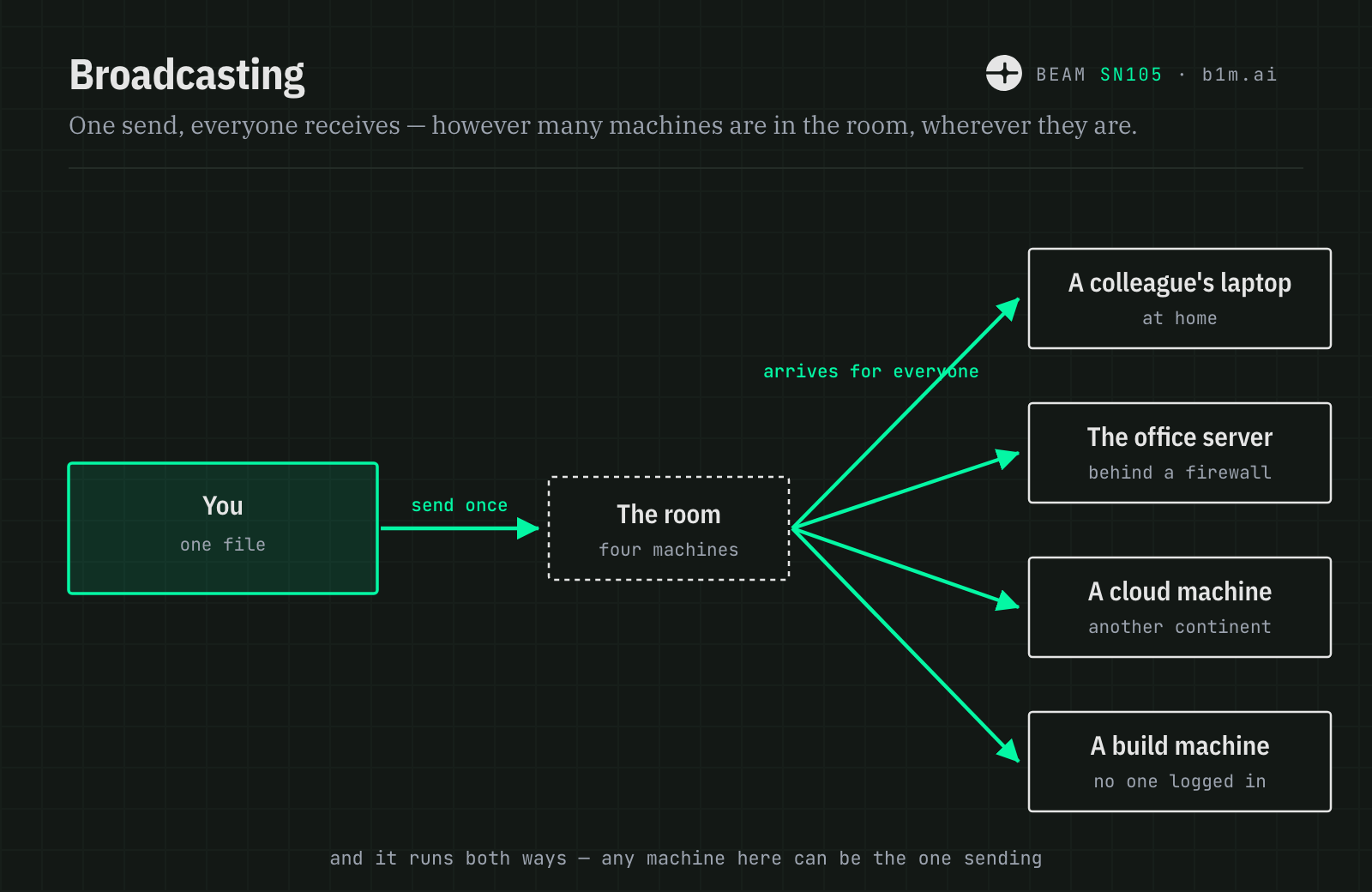
Broadcasting: you send a file once and it is delivered to every machine in the room at the same time — a colleague's laptop, an office server, a cloud machine and a build machine. Any of them can be the sender instead.
Adding a fifth machine doesn't mean sending a fifth time, and doesn't slow down the four already there.

Everyone at once

Behind the simple room model is an any-to-any broadcast network. Any member can become the sender, and any combination of members can become the receivers.

So a room isn’t one person publishing to an audience. Send once and it arrives for everyone — whether that’s two machines or twenty, sitting in an office, a data centre, or someone’s kitchen.

You can also aim it. Send to the whole room, or pick out just the one or two machines that need it.

Which one do I want?

TunnelRoom
Who can get inAnyone holding the linkOnly the people invited
What they needA browser, a script, or any HTTP clientBEAM CLI or Studio, plus an invitation
Which way it flowsYou share one thing outwardEveryone shares with everyone
How long it lastsUntil you close itUntil you leave the room
Best forGetting one thing to one person, onceA group that keeps trading work

Why this is a bigger deal than it looks

On its own, “send someone a file” sounds unremarkable. What’s unusual is everything you no longer need in order to do it.

The copy in the middle disappears
Sending a large file normally means uploading it somewhere first and having the other person download it afterwards. That’s two transfers, twice the waiting, and a copy sitting on a third party’s disk long after anyone needed it. Here the file moves once, from the machine that has it to the machine that wants it.
Firewalls stop being the problem
A server inside a locked-down corporate network, a build box in a data centre, a machine on a home connection — none of them have to be reachable from the outside to take part. Getting those same machines talking to each other would normally mean a VPN, and someone whose job it is to run it.
It works for machines with nobody at the keyboard
A room isn’t only for people. Servers, build machines, and scheduled jobs can be members too, which turns it into a way for a whole fleet to pass work around without a shared cloud account or a pile of credentials handed out to each one.
AI agents can hold membership of their own
An agent can create a room or join one, and what it may do inside is scoped — which channels it can discover, which it can read, which it can publish to. That gives an autonomous system a way to pick up and hand off large files as part of its work, without being handed your cloud credentials to do it.
Subnet participants can work together directly
Machines across the subnet can form a room and move data between themselves instead of routing everything through a central service. Collaboration happens at the speed of the link between them, and adding participants adds capacity rather than contention.
One thing replaces a small pile of them
Presigned URLs for one case, an SFTP box for another, a file-sharing subscription for the big ones, a VPN for internal access, a tunnelling tool for demos. Five tools, five bills, five ways to be misconfigured.
What you send stays yours
Files land in the folder or the bucket you nominate, under your own credentials. Nothing quietly accumulates on infrastructure you don’t control, because there is no holding pen in the middle for it to accumulate in.

None of these is remarkable on its own. Having all of them at once, while your machine sits there with nothing listening on it, is.

Worth knowing

You choose exactly what's shared
You name the one file, folder, or app. Everything else on your computer stays invisible — there’s no browsing around from the other side.
A tunnel link works for whoever holds it
There’s no login on the other end, so treat the link like a password. Share it the way you’d share one, and close the tunnel when you’re done.
An invitation is for one person, once
Room invitations are single-use and expire. Someone already in the room has to issue one for you specifically — you can’t join a room you merely know the name of.
Nothing is parked in the middle
No permanent copy is parked in the middle. BEAM orchestrates data movement between the participating endpoints rather than requiring you to first upload a permanent copy to a third-party file host.